Manage mobile networks on your Samsung LTE smart watch
Access mobile network settings via watch

You can easily manage your cellular network settings directly from your watch.
- On your watch, navigate to Settings.
- Tap Connections, and then tap Mobile networks.
- If prompted, tap the check mark to confirm that your watch and phone share the same service provider.
- From here, you can manage Mobile networks, Mobile data, Data roaming, Network operators, and Access Point Name. Be sure to speak with your carrier for network support and settings.
Please review our guide to learn more about activating LTE service for your Galaxy Watch. If you have further questions concerning mobile network service and plans, we recommend contacting your carrier.
Access mobile network settings via the Galaxy Wearable app
Your watch's network settings can also be managed using the Galaxy Wearable app on the connected phone.
- Open the Galaxy Wearable app on your phone.
- Tap Watch settings or tap the Home tab.
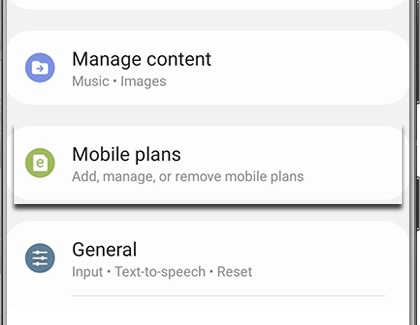
- Tap Mobile plans.

- From here, you can add, remove, or manage your mobile plan settings.
The “Mobile plans” option may not appear if your watch is not an LTE model.
Please review our guide to learn more about activating LTE service for your Galaxy Watch. If you have further questions concerning mobile network service and plans, we recommend contacting your carrier.
Contact Samsung Support


