Set the clock time on your Samsung microwave
Set the time with the Clock button

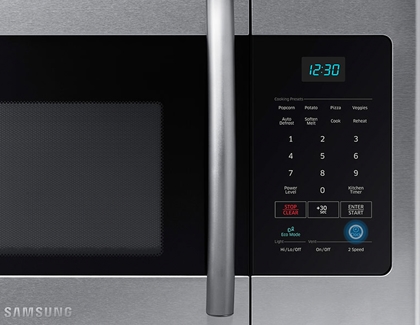
- Press the Clock button. If this doesn't work, press and hold it for 3 seconds.
- Enter the time using the number pad.
- Press the Clock button again for AM/PM selection (skip this step if your model does not require it).
- Press ENTER/START (or OK on models without this button) to confirm.
Set the time with the Options button (ME21M706BA)
Some models have an options button that you use to set the clock. Use the steps below or check out our video for Option button models.
- Press the Options button to begin.
- Select the 9 button on the keypad.
- Hit the OK button, enter the current time using the keypad, and press OK to complete.
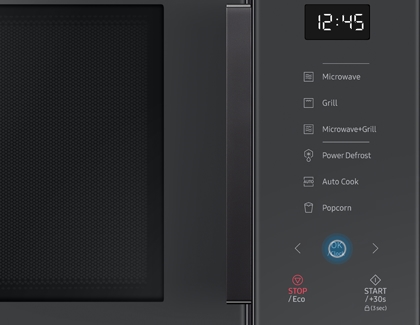
Set the time with arrow buttons (MG11T5018CC)
You should set your microwave’s time when you first install it and any time you need to adjust it.

- Initially, press the OK button.
- Use the left or right arrow buttons to adjust the hour, then press OK.
- Next, adjust the minute with the arrow buttons, and finalize by pressing OK. The display will now show the current time, which will switch to the cooking time during use.
Set the time with the Power Level button (ME19R7041F)
Some models have a hidden clock feature that can only be activated with the Power Level button. Once you've enabled it, you can easily set the microwave's time. Use the steps below to set the time, or check out our video for Power Level button models.
- Hold down the Power Level button for 3 seconds to activate the clock setting mode.
- Input the time via the number pad.
- Press Power Level once for AM and twice for PM.
- Confirm by pressing the OK/START button.
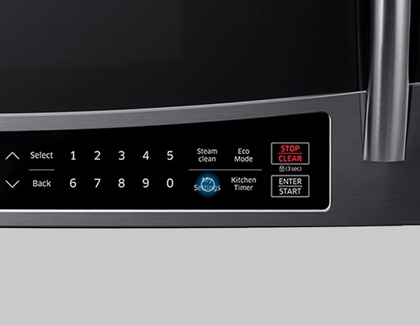
Set the time with the My Settings button (MC17J8000CS)
Some microwaves have a My Settings button. You can use this to change the time on your microwave's display with the steps below.

- Start by pressing the My Settings button.
- Press the 9 button on the number pad.
- Hit OK, enter the time, and press OK again to finish.
Contact Samsung Support


